The recent release of Windows 11 has sparked a widespread debate among users and tech enthusiasts: is upgrading to the new operating system worth it? As with any major software upgrade, pros and cons must be considered.
Understanding the Windows Operating System
An operating system (OS) is the main software that runs on a computer, serving as an interface between the user and the computer hardware. It manages and coordinates all the hardware components and allows other software to run on the computer.
The Windows OS, developed by Microsoft, is one of the most widely used operating systems in the world. Since its first release in 1985, Windows has evolved through several versions, each introducing new features, improved functionality, and enhanced user interfaces. The Windows OS is known for its user-friendly design, which makes it accessible to people of all skill levels.
Windows OS is used on personal computers, business workstations, servers, and some mobile devices. They provide a graphical user interface (GUI), support for a vast range of software applications, and features like file management, web browsing, email, media playback, and more.
What is Windows 11?
Windows 11, the latest version of the Windows operating system, was officially announced by Microsoft in June 2021 and released later that year. It represents the next step in the evolution of the Windows OS, with numerous updates and enhancements compared to its predecessor, Windows 10.
Advantages of Upgrading to Windows 11
Sleek Design and User Interface
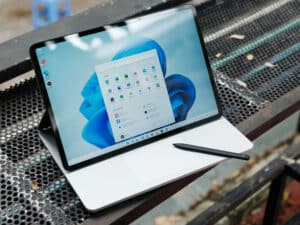
One of the most noticeable improvements in Windows 11 is its new modern, sleek design. The Start button and taskbar icons are now centred to look cleaner. The new Snap Layouts and Snap Groups features also enhanced multitasking capabilities. The rounded corners and new animations give the OS a fresh and contemporary aesthetic.
Performance Enhancements
Windows 11 boasts several performance enhancements. The new operating system is proving to be faster and more stable than Windows 10. Additionally, it’s designed to take full advantage of newer hardware technologies, which can lead to better performance on compatible devices.
Direct Access to Android Apps
One of the most exciting features of Windows 11 is the integration of Android apps. Users can now download Android apps directly from the new Microsoft Store via the Amazon App Store. This feature opens up a whole new world of mobile applications previously unavailable in Windows.
Gaming Improvements
For gamers, Windows 11 brings significant advancements. With features like Auto HDR and DirectStorage, games can load faster and display better graphics. The new OS also includes Xbox Game Pass for PC, providing access to a vast library of games for a monthly subscription fee.
The Current Disadvantages of Windows 11
Hardware Requirements
One of the main drawbacks of Windows 11 is its strict hardware requirements. Microsoft has set high minimum requirements, including a compatible 64-bit processor, 4GB of RAM (or 8GB for a 64-bit system), and 64GB of storage. This means that many older PCs won’t be eligible for the upgrade.
Removal of Certain Features
Windows 11 has also removed or altered some features that were popular in Windows 10. The Live Tiles feature on the Start menu has been removed, and the Timeline feature is no longer available. These changes may be off-putting to users who frequently use these features.
Increased Presence of Ads
Some users have criticised the increased presence of ads in Windows 11. Online forums contain several complaints about this issue, with Windows users expressing frustration over seeing more ads in the new OS.
Is Windows 11 Better than Windows 10?
The question of whether Windows 11 is better than Windows 10 largely depends on your unique needs and the specific hardware you’re using.
Windows 11 comes with a range of new features, performance improvements, and design changes. The interface is more like Mac iOS, with pastel colours, a centred Start menu, and rounded corners. It’s been described as easier on the eyes and easier to use, taking the best elements of Windows 10 and refining them.
However, some users have reported that Windows 11 is less performant. If you’re using older hardware, you might not see much of a difference in performance, and in some cases, Windows 10 might even perform better.
Additionally, not all devices are compatible with Windows 11, so if you’re using an older device, you might not be able to upgrade at all. While Windows 11 introduces many new features, it also removes or alters some features from Windows 10, which could be a drawback for users who rely on those features.
If you’re considering upgrading, it would be a good idea to review the new features and requirements of Windows 11 and consider how they align with your computing needs.
How to Upgrade to Windows 11
If you are currently on Windows 10 and want to upgrade to Windows 11 before the deadline the process is straightforward.
To upgrade to Windows 11:
- Check for Updates: Go to the Start menu, then click on Settings > Update & Security > Windows Update and select Check for updates.
- Download Windows 11: If your device is compatible and Windows 11 is available, you should see an option to download and install it.
- Installation Process: Once the download is complete, you will need to follow the prompts to install Windows 11. This process may take some time and your device will need to restart several times.
Remember that upgrades to Windows 11 from Windows 10 are free, but due to the size of the download, ISP fees may apply for downloads that occur over metered connections.
Before upgrading, ensure that your PC meets the system requirements for Windows 11. If your device is not compatible, you might need to consider hardware upgrades or purchasing a new device.
Requirements for Downloading Windows 11
These requirements have been outlined by Microsoft and various sources online, and they are designed to ensure a reliable and high-quality experience when using the new Windows software.
Processor: Your processor must be 1 GHz or faster with 2 or more cores on a compatible 64-bit processor.
RAM: A minimum of 4 GB for a 32-bit system or 8GB for a 64-bit system is required
Storage: You’ll need at least 64GB of storage.
System Firmware: The system firmware must be capable of UEFI firmware with Secure Boot capability.
Graphics Card: Your device must have a compatible DirectX 12 graphics card or equivalent with a WDDM 2.0 driver.
Display: The display should be more than 9” with a resolution of 720p or higher.
Internet Connection: Windows 11 Home Edition requires an internet connection during the complete device setup process.
What if my device is not compatible with Windows 11?
If a device is not compatible with Windows 11, several things could occur:
- You Won’t Be Able to Install Windows 11: If any part of your system is incompatible, you won’t be able to install the new operating system. Microsoft has set specific requirements and if your device does not meet them, the installation process will not proceed.
- Potential Errors and Performance Issues: If you try to install Windows 11 on unsupported hardware, you might encounter various errors or performance issues. These could include problems with system stability, driver compatibility, and certain features not working as expected.
- Security Settings Requirements: Your device also needs to have two security settings turned on: Secure Boot capable TPM 2.0. If these aren’t enabled or supported by your device, you’ll likely see a message saying your PC cannot run Windows 11.
- Possible Fixes and Workarounds: Some users may find workarounds to install Windows 11 on incompatible hardware, such as adjusting BIOS settings or using third-party tools. However, these methods are generally not recommended as they can lead to stability issues and may void your warranty.
If your device is not compatible with Windows 11, for now, you can still use Windows 10. Microsoft has confirmed that it will support Windows 10 until at least 2025, so you will continue to receive security updates.
Conclusion: Is it worth upgrading to Windows 11?
In conclusion, whether or not it’s worth upgrading to Windows 11 right now largely depends on your specific needs, preferences, and the compatibility of your device. If you’re considering upgrading, it would be a good idea to review the new features and requirements of Windows 11 and consider how they align with your needs.